- FoodForms
- Yearly form
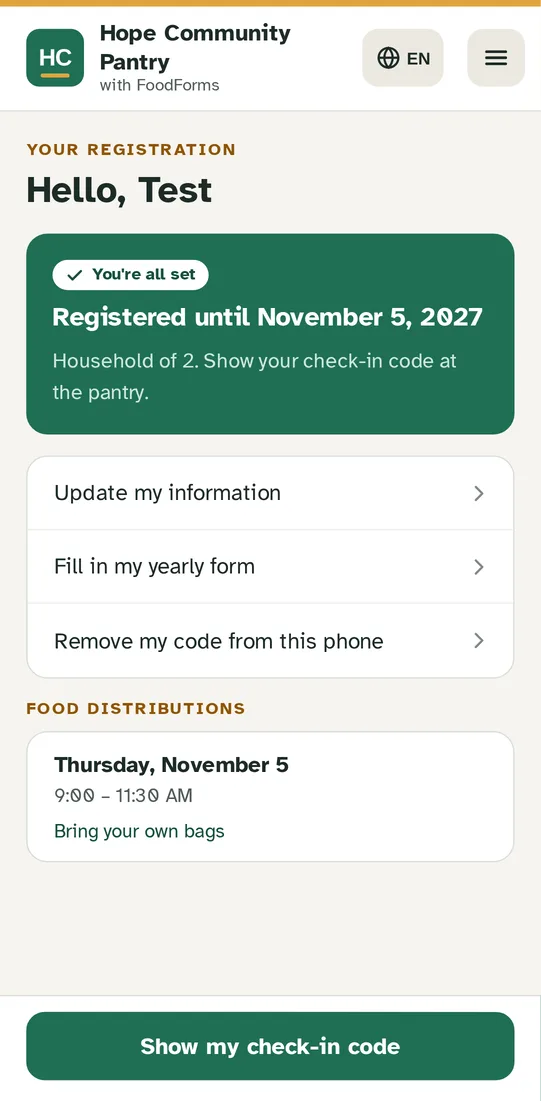
The yearly TEFAP form, on a phone or tablet
Every household that gets TEFAP food fills in a self-declaration once a year. With FoodForms, people fill it in on the tablet at your door or on their own phone at home, instead of on paper.
What the person does
- Picks English or Spanish.
- Answers a few questions about their household, one question per screen.
- Reads the state's statements and taps “I confirm”.
- Gets a check-in code to use at the pantry.
The state's exact words
We show the statements from Connecticut's TEFAP self-declaration word for word, in English and in Spanish. We don't reword them. When the state changes the form, we update it.
What your pantry gets
- A record of each household's yearly form and the date they filled it in.
- Monthly numbers counted the same way as the state's TEFAP workbook.
- No paper forms to type in later.
Next year
When it's time to renew, the page on the person's phone says so. Renewing takes about a minute. People without a phone can renew on the tablet at the pantry.
Questions
Does it use the state's wording?
Yes. The statements are copied word for word from Connecticut's TEFAP self-declaration, in English and in Spanish.
What if someone doesn't have a phone?
They can fill in the form on the tablet at your door, or a volunteer can help them.
Do people need to make an account?
No. There's no account and no password. The form is a web page they open on their phone.
Can a pantry outside Connecticut use it?
Today the form follows Connecticut's TEFAP self-declaration. If your state uses a different form, tell us about it.
Tell us about your pantry
Fill in this form and we'll get back to you. Or email us at hello@foodforms.org.